You might have noticed that all of a sudden the Google Map on your website is broken.
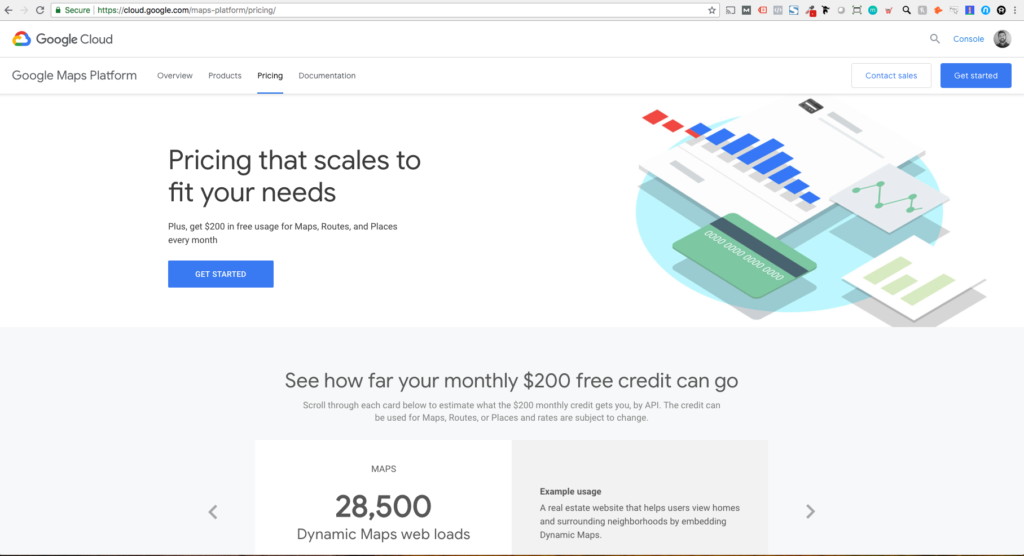
Google updated their Google Maps API and you now have to pay to use it.
Google is currently offering a free $200 credit, I’d claim it while you can: https://cloud.google.com/maps-platform/pricing/
If you don’t want to use the API, but still want a Google Map on your website, you can just embed a free map directly from Google Maps using an embed code.
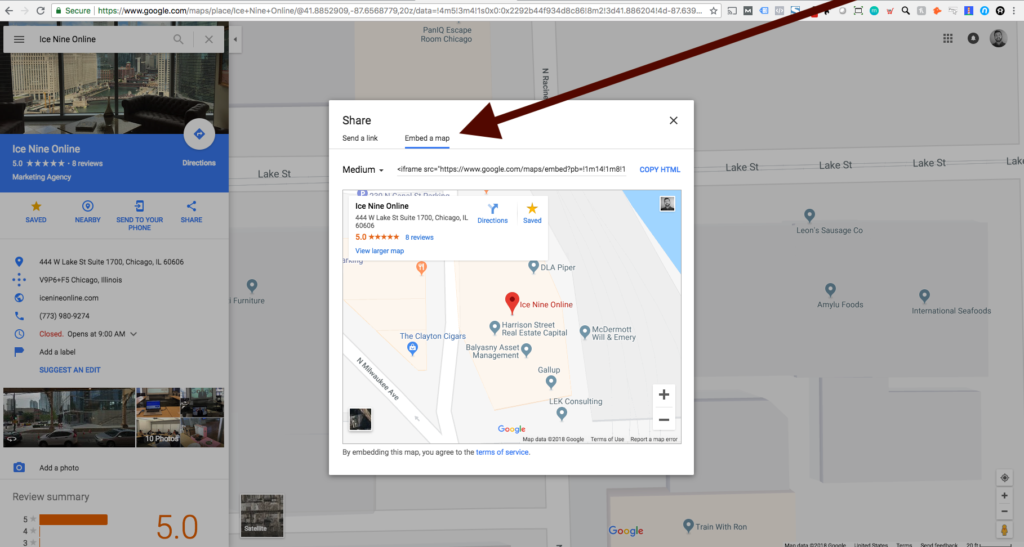
Embed instructions:
- Google the location you’re looking to map
- Click on the map in Google search results
- Click “Share” then “Embed a Map”
- Add the embed code to your website
About the Author

Matt Chiera is the Founder and Principal Consultant at Ice Nine Online, a Chicago-based B2B digital marketing agency he established in 2014. Over more than a decade, he has helped clients generate millions of dollars in revenue across SEO, paid media, web development, and marketing strategy. Before founding Ice Nine Online, Matt served as a Director at Perfect Search Media, one of Chicago's pioneering search marketing firms. He has taught digital marketing courses at the Digital Professional Institute, published Digital Marketers Sound Off (ranked the number one Web Marketing book on Amazon), and holds formal training from the University of Chicago and Stanford University's Technology Entrepreneurship program. Ice Nine Online has earned recognition through the dotCOMM, MUSE, and Web Excellence Awards.
View Matt's LinkedInRequest a Consultation With Matt

Comments
Great insights! This article clearly explains Google Map issues and solutions—very helpful for website owners facing similar problems.